June 24, 2026
OCR API Guide: Building Text Extraction Into Apps
Overview of OCR APIs vs in-browser OCR, rate limits, privacy, and when a free web tool is enough.
By Elango P · About this site
When teams outgrow drag-and-drop OCR, they start asking about APIs: upload an image, receive text JSON, move on. This guide explains how OCR APIs fit product architecture, what to evaluate, and how a free interactive tool like imgtotext.in still helps during design—even when your production path is a coded integration.
API vs Website: Different Jobs
| Need | Prefer | |------|--------| | Occasional human conversion | Web UI (imgtotext.in) | | Automated intake from users | OCR API / SDK | | Bulk nightly jobs | API + queue workers | | Exploring accuracy on samples | Web UI first |
imgtotext.in is a free online OCR site (drag & drop, twelve languages, Clean Mode, copy/TXT, AI OCR first with Gemini via their API, Tesseract.js fallback, 10 AI uses per visitor per day). It is not marketed here as your production API endpoint. Use it to prototype expectations, then select a developer-facing OCR API for scale.
Core API Design Patterns
Synchronous request/response
Client uploads image bytes; API returns text when done. Simple for small images and interactive apps. Watch timeouts on large files.
Asynchronous jobs
Client receives a job id; polls or gets a webhook when OCR completes. Better for multi-page packets and spikes.
Client-side OCR
Libraries such as Tesseract.js run in the browser (the same family of engine used as fallback on imgtotext.in). No image leaves the device if you self-host the model files—great for privacy; weaker on hard photos versus strong cloud AI.
What to Send and What You Get Back
Typical request fields
- Image (multipart upload or URL fetch)
- Language hint
- Optional preprocessing flags (deskew, threshold)—vendor-specific
Typical response fields
- Full plain text
- Optional blocks with bounding boxes
- Confidence scores
- Error codes for unsupported types
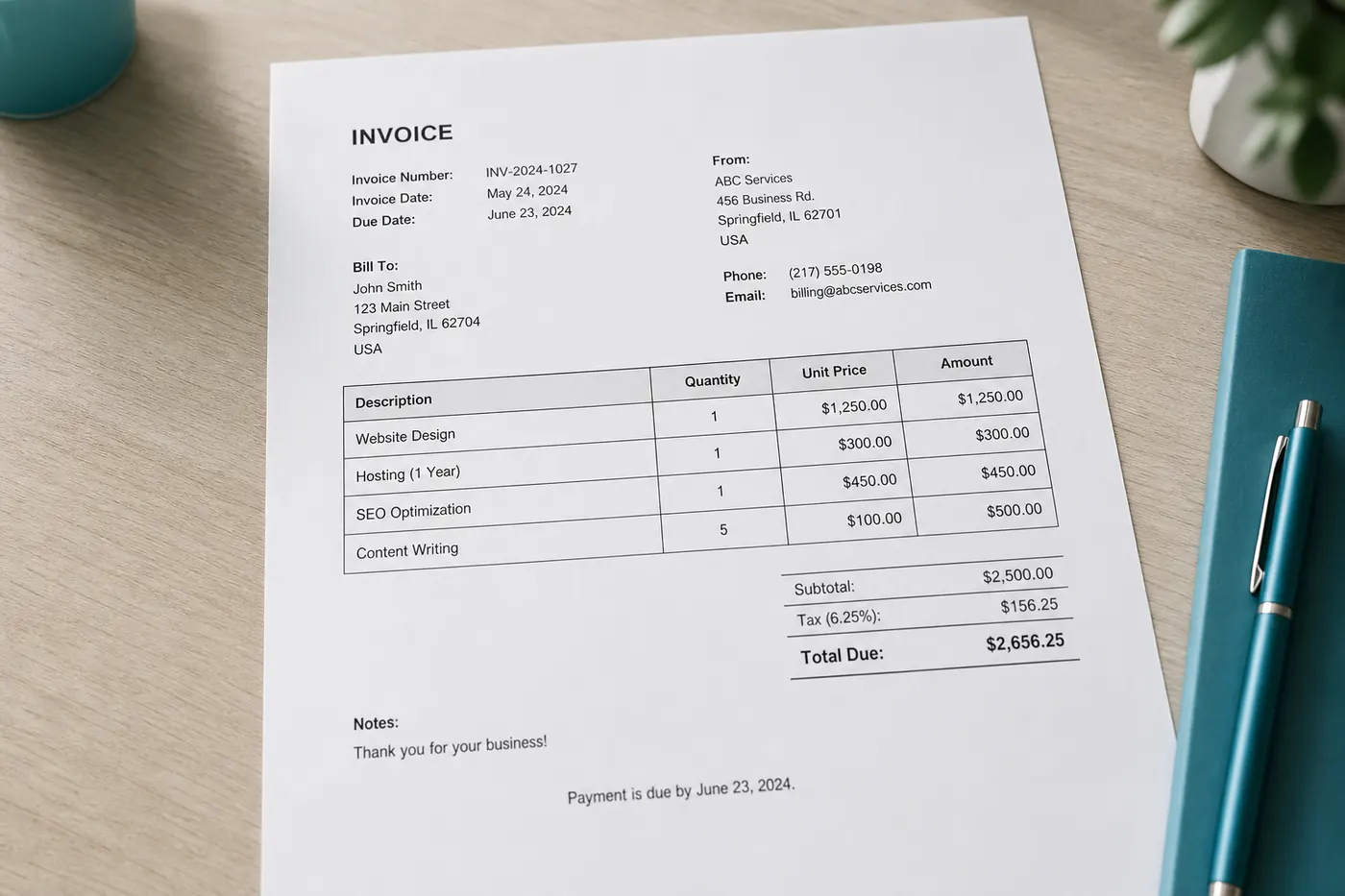
Map those to your domain: invoice total field vs raw blob. Never assume layout JSON without checking the vendor schema.
Accuracy Evaluation Protocol
Before you sign a contract:
- Build a set of 50–100 anonymized real images.
- Score exact-match on critical fields (amount, ID), not only BLEU-like prose metrics.
- Include screenshots, phone photos, and one handwriting sample.
- Compare against a baseline you already understand—run the same images through imgtotext.in to calibrate human expectations.
- Re-test after preprocessing changes (crop, contrast).
Accuracy tips that apply to any stack: /blog/ocr-accuracy-tips.
Language Coverage
Confirm your locales exist. Consumer tools may list twelve languages (as imgtotext.in does: English, Spanish, French, German, Italian, Portuguese, Russian, Chinese Simplified, Japanese, Korean, Arabic, Hindi). Enterprise APIs may list more—or charge per script. Missing language support is a dealbreaker for regional products.
Privacy, Retention, and Compliance
Ask vendors in writing:
- Is training on customer data opt-out?
- Retention TTL for uploaded bytes?
- Region pinning?
- DPA / SOC reports available?
A privacy-focused interactive site that avoids permanent image storage (/about) is a good teaching example for what you should demand in stronger form from any API vendor.
Example Scenario: Receipt Feature in a Fintech MVP
A startup wants users to snap receipts. Early on, founders validate OCR quality by dropping samples into imgtotext.in and manually pasting results into spreadsheets—no engineering required. They discover kitchen glare destroys totals 30% of the time, so they add capture guidance in the mobile UI before writing API code.
Once UX stabilizes, they integrate a cloud vision API in Node, store only extracted fields plus encrypted image references in their bucket, and keep human review for charges above a threshold. The free web tool never becomes production infrastructure; it saved them from wiring the wrong API against unfixable photos.
Cost Models and Quotas
APIs bill per page, per second, or per AI unit. Interactive free tools use fair daily caps (for example, 10 AI OCR uses per visitor per day on imgtotext.in with browser fallback after). For APIs, implement:
- Client-side compression and crop before upload
- Caching of identical image hashes
- Idempotent job keys
- Budgets and alerts
PDF and Multi-Page Reality
Many OCR APIs accept PDFs natively. If you start from an image-only mindset (like converting pages for imgtotext.in—see /blog/pdf-ocr-guide), decide early whether your API must ingest PDF or whether your backend will rasterize pages. Rasterization gives you uniform image pipelines at the cost of CPU.
Implementation Sketch Notes
Developers often start in JavaScript or Node:
- Browser: Tesseract.js or call your backend
- Server: official SDKs for cloud OCR
Follow-up reads: /blog/ocr-in-javascript, /blog/ocr-for-developers-guide. Product context: /blog/ocr-for-businesses.
Fallback Strategies
Production systems should degrade:
- Primary AI cloud OCR
- Secondary region or vendor
- Classical OCR for printable documents
- Human queue
That mirrors conceptually how imgtotext.in tries AI first then Tesseract.js—read /how-it-works—even though your vendors will differ.
Try It
Before writing integration code, run ten representative images through imgtotext.in and log failure modes. Those notes become acceptance tests for whichever API you choose next.
Version Pinning
Pin OCR model or API versions in production. Silent vendor upgrades can change field parses and break brittle regex post-processors. Mirror the discipline you already use for other ML dependencies.
Related Reading
- /blog/ocr-in-javascript — browser-side approaches
- /blog/ocr-for-developers-guide — server-side approaches
- /blog/best-ocr-tools-2026 — landscape context
Try free OCR now
Upload an image and extract editable text in your browser — no signup required.
Open OCR tool