AI first, browser fallback
Cloud AI OCR runs first for tough layouts. If it fails or the daily AI cap is reached, Tesseract.js continues in your browser.
OCR Text Extractor · imgtotext.in
Upload one image or a batch — get editable text in seconds. Free online OCR with copy, TXT, DOCX, and PDF export.
Must match the text in your image (e.g. English for Latin letters).
PNG, JPG, WEBP, GIF · up to 10 images · max ~8 MB each
Extracted text will appear here.
Built for students, freelancers, and teams who need fast image-to-text without buying a document-management suite for a five-minute job.
Cloud AI OCR runs first for tough layouts. If it fails or the daily AI cap is reached, Tesseract.js continues in your browser.
English, Spanish, French, German, Chinese, Japanese, Arabic, Hindi, and more — match the script before you extract.
Dual-pass enhancement and adaptive thresholding improve screenshots, scans, and uneven lighting on the fallback path.
Upload, choose a language, extract, then copy or download — built for minutes-long tasks, not enterprise batch farms.
Desktop, tablet, or phone browser. No installers and no mandatory account wall.
No subscriptions or watermarks on exported text. AI OCR has a fair daily cap; browser OCR remains available after that.
Optical Character Recognition (OCR) turns writing that exists only as pixels into characters you can select, copy, search, and edit. Before OCR, your options were retyping or keeping a static picture. With a free online converter, you recover wording from a photo, scan, or screen capture and paste it into email, docs, spreadsheets, or code comments.
People reach for OCR when the original editable file is missing: a paper receipt, a textbook page on a phone, a software dialog that cannot be copied, or a shipping label in a warehouse photo. OCR also helps when you need to translate printed words, archive paper records, or make scanned page images searchable after export.
OCR Text Extractor keeps the workflow on one page: upload, choose language, extract, then copy or download. Cloud AI handles many difficult layouts first; if that path is unavailable or you reach the daily AI allowance, browser-based Tesseract.js continues so you are not blocked mid-task. Deeper primers live in our Ultimate Guide to OCR Technology and the How it works guide.
Three steps most people finish in under a minute once the image is ready.
Drag and drop PNG, JPG, WEBP, or GIF — or browse from your device. Preview confirms what will be processed.
Select the document language. Turn on Clean Mode for screenshots and multi-column layouts.
Review the output, copy it, or download TXT, DOCX, or PDF of the recognized text.
Behind the button, AI OCR attempts recognition via the provider listed in our Privacy Policy. Images are not kept as a permanent personal archive. If AI fails or returns no text, preprocessing (contrast, thresholding, and related steps) feeds Tesseract.js in your browser. Clean Mode targets screenshots and document-style captures; turn it off for logos and single-line stickers when raw output looks cleaner.
Built for quick one-off jobs—not enterprise document platforms. If you need editable text from a picture and cannot install software, start here.
Screenshots, paper photos, and scans stop being dead pixels. You get characters you can search and edit.
Open the site, drop a file, leave. Ideal when you cannot install desktop OCR on a locked work machine.
AI handles many hard photos; browser OCR keeps you productive when cloud capacity is temporarily unavailable.
Plain text for tickets, DOCX for editing, PDF when you need a shareable print of recovered wording.
Upload common raster images. We are explicit about PDF: multi-page PDF containers are not opened directly — export pages to images, then extract.
Pick the language that matches the dominant script before extracting. Mixed-script pages often need separate crops.
Drag-and-drop from Finder, Explorer, or Downloads. Largest keyboard-friendly surface for proofreading.
Upload from camera roll after photographing worksheets or whiteboards in class or workshops.
Shoot a page, open imgtotext.in in the mobile browser, extract, and paste into notes or translators.
OCR prefers sharp, high-contrast characters. These are the inputs people convert most often here.
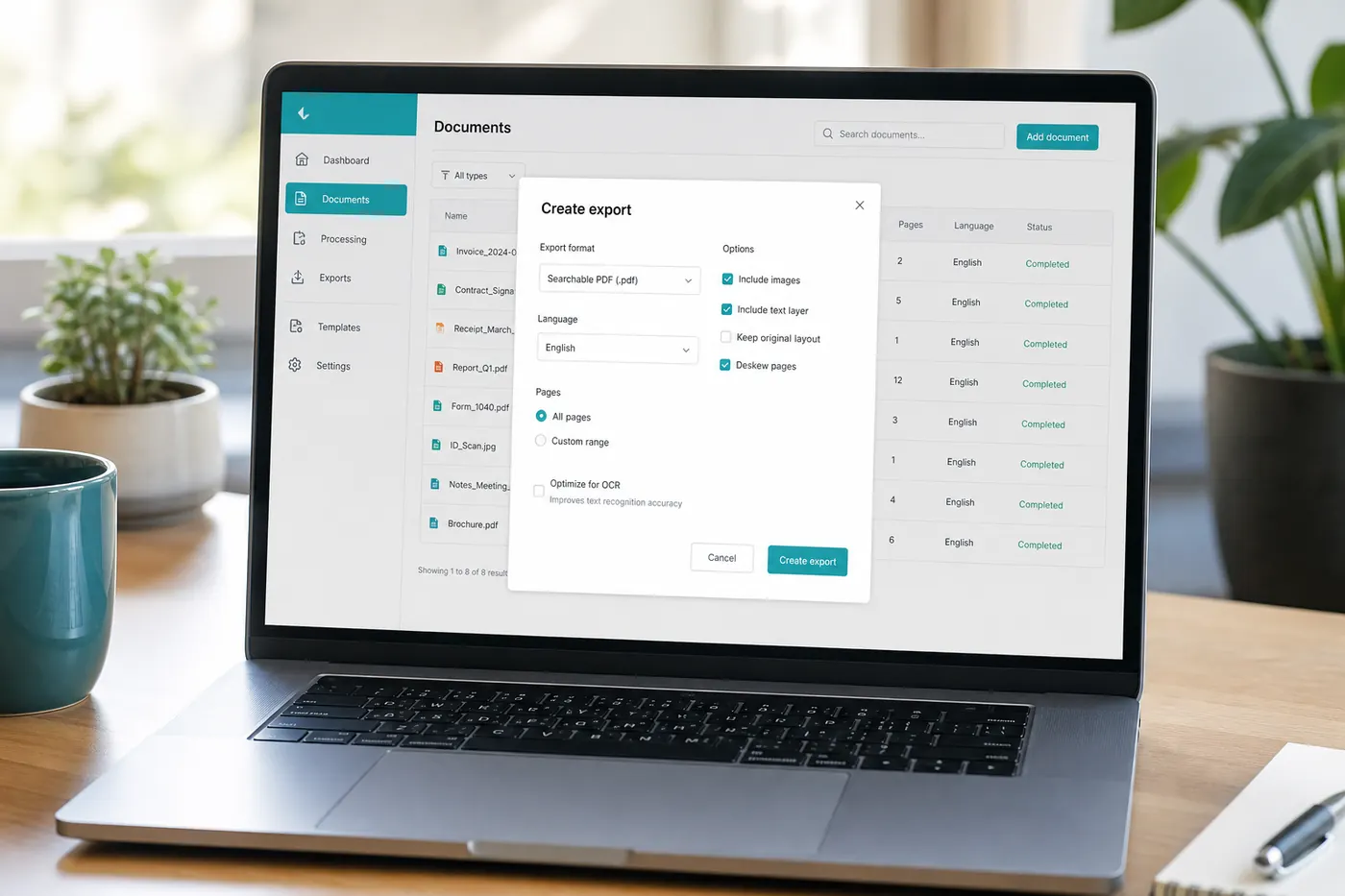
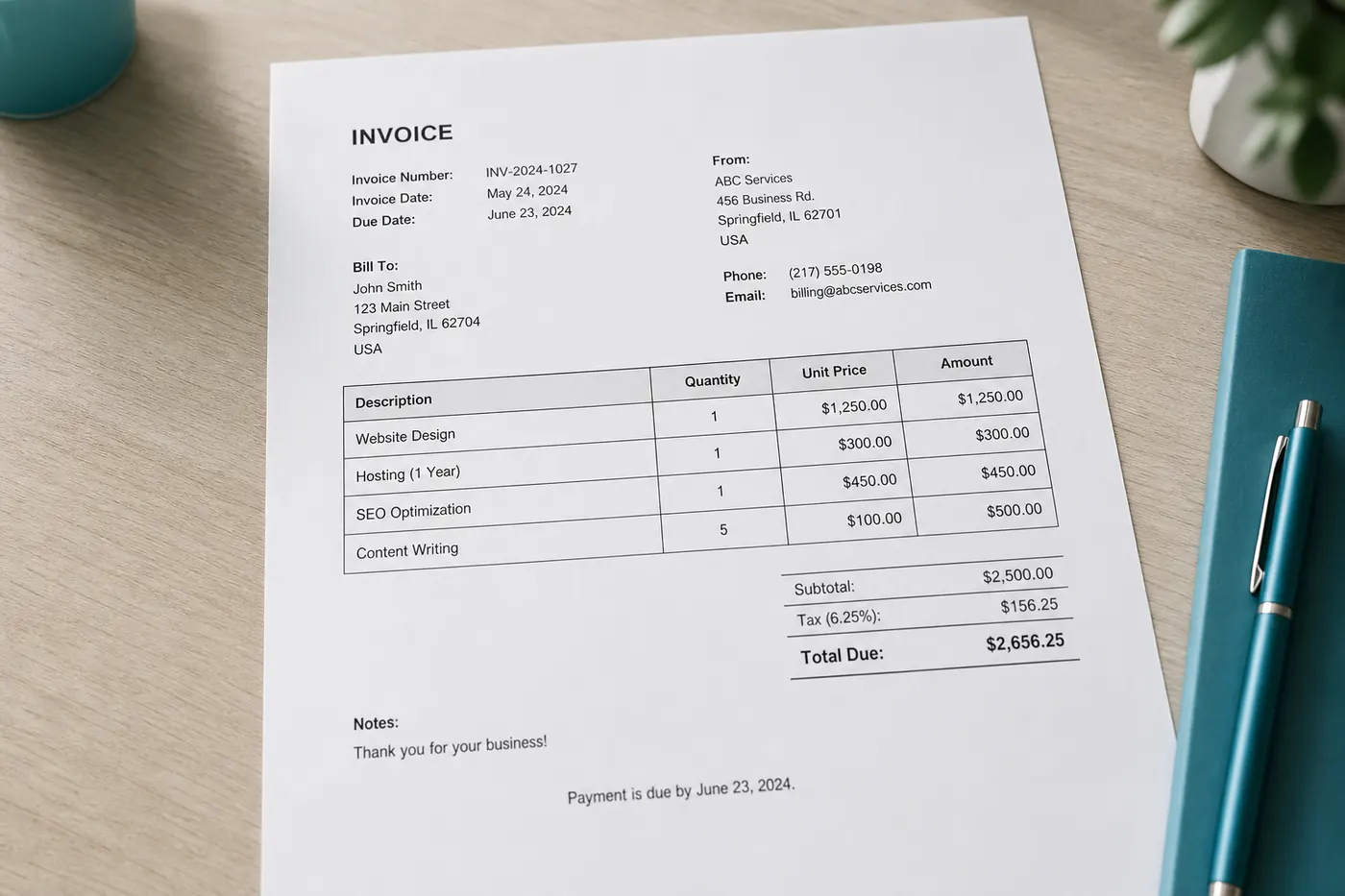
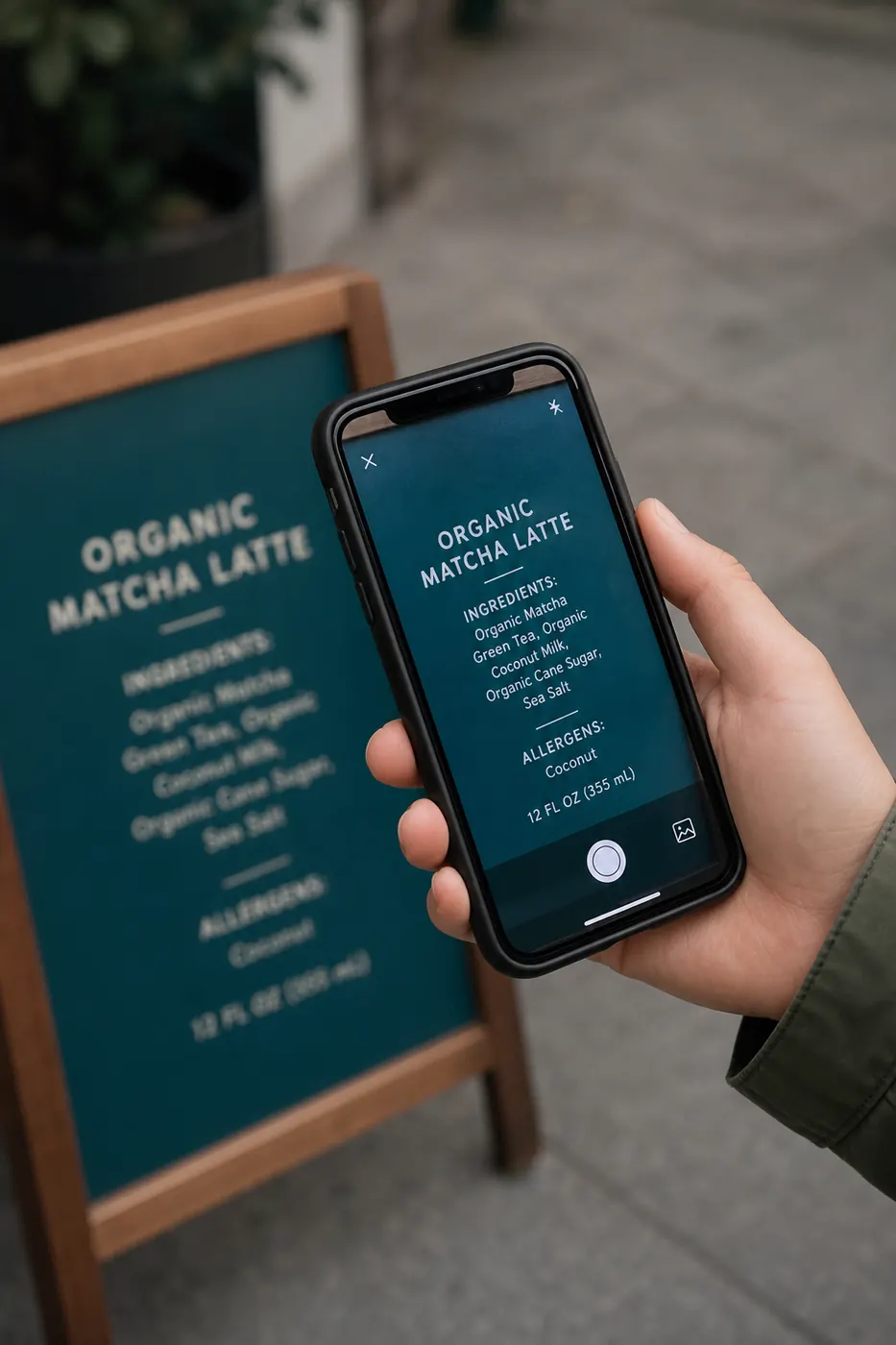
Clear screenshots, high-contrast scans, and well-lit photos of printed body text with the correct language selected.
Tables, multi-column magazines, faint thermal receipts, and low-light phone shots — crop and retake before blaming the engine.
Messy cursive, decorative fonts, heavy glare, and tiny packaging legalese. Treat output as a draft.
These are qualitative expectations from typical use—not lab benchmarks or guaranteed scores. Always proofread before you rely on the output.
Phone photos of crumpled or faded thermal paper often recover merchant names and line items, but totals and tiny fees need a careful check—folds and glare hide digits.
Expect: usable draft, verify money fields
Sharp PNG captures of dialogs and settings panels are among the strongest inputs. Clean Mode helps reading order when the shot includes chrome and side panels.
Expect: usually strong on clear UI text
Yellowed paper, faded ink, and historical typography (including the long s) create more substitutions. Treat the extract as a starting draft for proofreading.
Expect: more cleanup on damaged print
When AI OCR runs, the image is sent through our server to Google Gemini for that extraction request. We do not market the product as “never leaves your device” for that path — that would be misleading. Details, cookies, and advertising are covered in the Privacy Policy, Cookie Policy, and Data Retention Policy.
Browser fallback uses Tesseract.js with client-side preprocessing after AI failure or quota exhaustion. Highly sensitive files (medical charts, sealed legal discovery, sealed IDs) belong in offline, organization-approved tools — not a free public utility.
Transport uses HTTPS. You are still responsible for what you upload and for verifying OCR output before high-stakes use. The Disclaimer and Terms of Use explain accuracy and acceptable-use limits.
More depth: measured Gemini vs Tesseract benchmark, OCR accuracy and limitations, and improving low-quality images.
One tool, many intents — from students and developers to receipts, books, and research page images.
Capture textbook excerpts, homework boards, and lab notes into editable study material — then cite sources properly.
Reuse printed worksheets as digital drafts, build accessible text alternatives, and save retyping time.
Pull stack traces and error dialogs from screenshots into tickets without transcription errors.
Digitize short stacks of receipts, forms, and supplier letters for searchable internal notes.
Convenience drafts from non-confidential scans — verify every clause against originals before filing.
Office paperwork convenience only; never treat OCR as a clinical dosage or records system of truth.
Draft figures from invoice photos into spreadsheets, then reconcile totals by human review.
Thermal slips and printed invoices become text drafts for expenses — watch for faded ink and wrinkles.
Neat print works better than cursive. Expect proofreading; see the handwriting tool page for photo tips.
Photograph or export page images to quote passages you have rights to use; respect copyright always.
Operated by Elango P with public About, Contact, and legal policies. We explain AI uploads instead of vague “100% private” slogans. Not every job needs the same product—use this honest snapshot, not a paid ranking.
| Topic | imgtotext.in | Desktop OCR suites | Phone OCR apps |
|---|---|---|---|
| Install required | No | Yes | Usually |
| Account required | No | Sometimes | Often |
| AI + browser fallback | Yes | Varies | Varies |
| Best for | Quick one-off images | Huge archives | On-device camera OCR |
| Privacy model | AI first via Gemini; browser fallback (see Privacy) | Often local | Vendor-dependent |
You also get practical exports (TXT, DOCX, PDF), batch upload up to ten images, Clean Mode for screenshots, and a documented daily AI fair-use limit so capacity stays available for more visitors.
Guides from the blog — practical, not fluff.
Original 12-image benchmark of Google Gemini vs Tesseract 5 LSTM with published corpus, ground truth, and per-category character error rates.
Comparing cloud AI OCR and classical engines like Tesseract on accuracy, privacy, cost, and speed — and when each one wins.
How this site handles images on the AI path vs the browser fallback, what stays local, and guidance for sensitive documents.
Practical fixes for lighting, cropping, resolution, glare, and compression — and when to just retake the photo.
An honest look at what OCR handles well, where it struggles — print vs handwriting, tables, glare — and why proofreading still matters.
How to lift OCR accuracy with image preprocessing such as thresholding and deskewing, handle scanned PDFs page by page, and keep sensitive files safe.
A technical overview of OCR for developers: choosing between hosted APIs and self-hosted engines, running Tesseract.js in the browser, and Python workflows.
Practical ways to use OCR: lecture slides and notes for students, receipts and invoices for business, plus handwriting workflows.
A complete guide to Optical Character Recognition: how OCR works under the hood, which tools to pick, and the practices that raise accuracy.
Quick answers before you start extracting text.
Yes. No signup and no watermarks. AI OCR is limited to 10 uses per day per IP address; browser OCR remains available after that.
No permanent archive of uploads. By default, AI OCR sends images through our server to Google Gemini for that extraction request. See the Privacy Policy and Data Retention pages.
PNG, JPG, JPEG, WEBP, and GIF. For scanned PDFs, export each page as an image first.
Accuracy depends on sharpness, contrast, language, and print vs handwriting. Always proofread critical numbers and names.
Ads may appear when advertising is enabled (for example, via Google AdSense). Cookie choices are explained in the Cookie Policy.
Scroll up to the tool, upload an image, and get editable text in seconds — free, with AI OCR and a browser fallback when you need it.
Try the OCR tool now