June 20, 2026
OCR for Students: Notes, Handouts, and Research
How students use image-to-text for notes, whiteboard photos, textbooks excerpts, and study workflows.
By Elango P · About this site
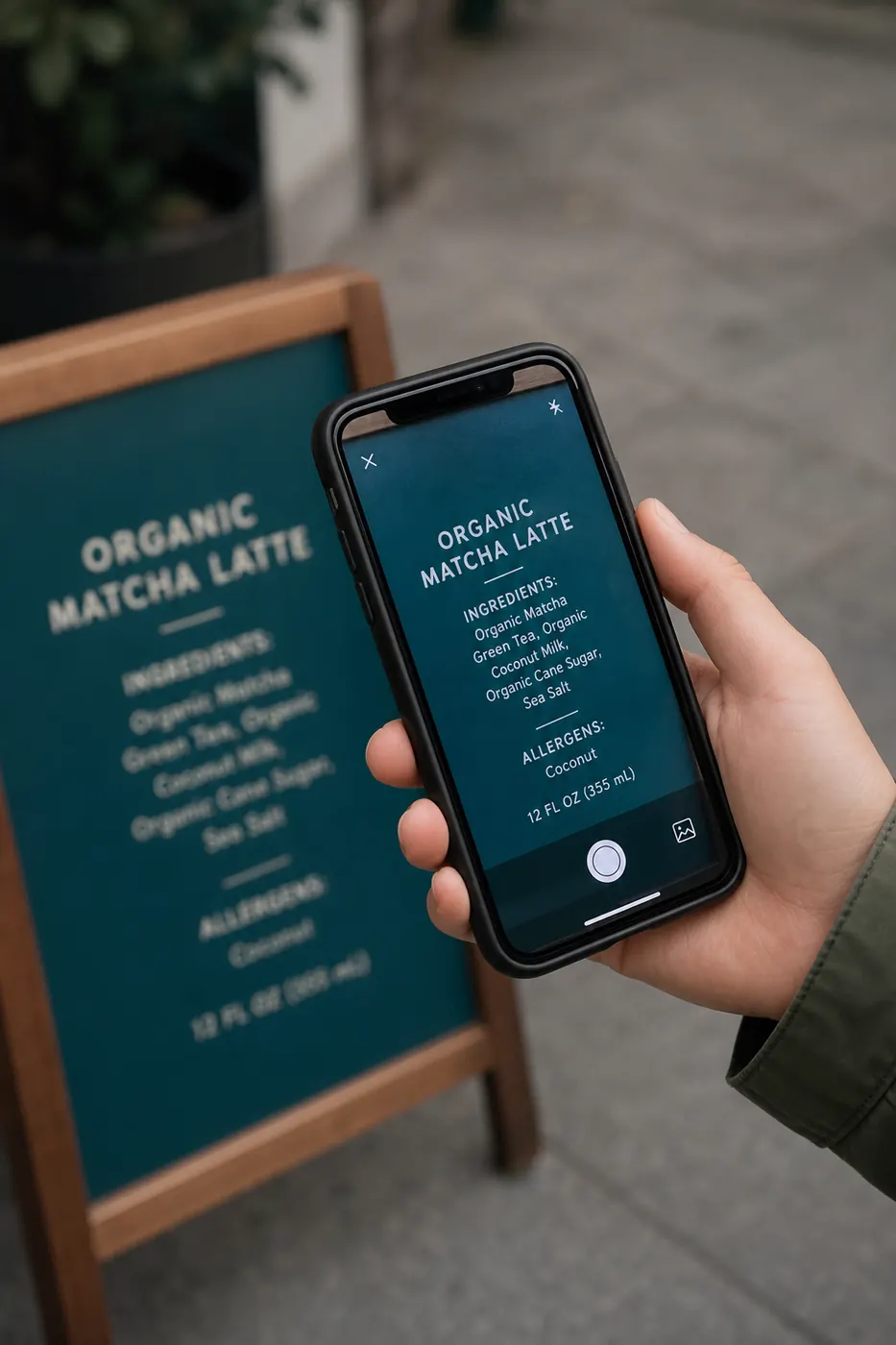
Students live among texts they cannot copy: projector slides, whiteboard photos, textbook problem sets friends share as images, PDF scans of reserved readings. Re-typing costs evenings you would rather spend learning. Free online OCR turns those images into notes you can highlight, search, and revise.
This guide focuses on study-friendly workflows with imgtotext.in—plus honesty about limits like daily AI quotas and handwriting difficulty.
Why Students Benefit From OCR
- Convert lecture board photos into outline notes
- Pull quotes from scanned articles (and cite properly)
- Digitize flashcard text shot from paper decks
- Extract problem statements to annotate digitally
- Make image-only materials easier to support with accessibility tools on your device after they become real text
OCR does not write your essay for you. It removes the copying chore so cognition goes to understanding.
Quick Student Workflow
- Capture clearly: fill the frame, reduce glare, shoot boards between classes if possible when the room is brighter.
- Open https://imgtotext.in on phone or laptop (mobile responsive).
- Upload PNG/JPG/JPEG/WEBP/GIF.
- Select your course language—twelve options including English, Spanish, French, German, Italian, Portuguese, Russian, Chinese Simplified, Japanese, Korean, Arabic, and Hindi.
- Try Clean Mode for slide screenshots and typed worksheets; compare off for chalk photos.
- Copy or download TXT into Notion, Obsidian, Google Docs, or whatever you use.
- Tag the note with course code and date immediately.
AI OCR runs first (Gemini via their API). You get 10 AI OCR uses per visitor per day; browser Tesseract.js keeps working after. During exam week, prioritize AI for the hardest photos.
Example Scenario: Group Project Source Pack
Four classmates share a ZIP of JPG phone photos of a reserved journal article they could only view on library terminals—no free PDF. Manually splitting typing duties still burns hours and introduces inconsistencies.
They divide photos by page range. Each member runs pages through imgtotext.in, pastes into a shared doc with page labels, and highlights claims for the literature review. One member with stronger AI quota remaining overnight handles blurrier shots. The group still visits the library to verify quotes against the original—academic integrity intact—but drafting takes a fraction of the time.
Lectures and Whiteboards
Boards are low-contrast and shiny. Tips:
- Stand where your body does not cast a shadow.
- Take section photos if the board is huge; stitch notes later.
- Prefer print-style teaching writing when you control the marker (ask politely for clearer board work when professors scribble).
- For handwriting-heavy boards, read /blog/handwriting-ocr.
After class, OCR within 24 hours while you still remember context that helps you fix misreads.
Slides and Screenshots
If the lecture is digital, ask whether slides will be posted. When they will not, screenshot visible slides (with permission under your school’s recording/photo policy) instead of photographing the projector. Clean Mode helps. More: /blog/convert-screenshots-to-editable-text.
Language Learners
Studying Spanish on an English-language device? Switch the OCR language dropdown to Spanish when the worksheet is in Spanish. Same idea for Hindi, Arabic, Japanese, and other supported languages. Bilingual worksheets may need two crops—one per language region.
Accessibility Angle
Once text exists digitally, you can enlarge it, recolor it, or push it to text-to-speech. Students who struggle with small photocopier fonts often find OCR + TTS transformative. Always follow disability-service processes for official accommodations; OCR is a personal productivity aid, not a substitute for institution-approved formats when those are required.
Integrity Rules You Should Not Bend
- Do not OCR closed-book exam content you are forbidden to copy.
- Cite scanned sources correctly; OCR is not permission to plagiarize.
- Respect library and copyright rules for distributing digitized reserved works—personal study copies differ from uploading full texts to public chats.
When unsure, ask a librarian.
Privacy for Campus Life
Notes may include grades, IDs, or peer contacts visible in screenshots. Crop before upload. imgtotext.in is privacy-focused with no permanent image storage (/about, /faq), but minimizing sensitive pixels is still wise.
Organizing Extracted Text for Study
- Keep a course folder with
/raw-imagesand/ocr-text. - Summarize OCR dumps into your own words the same day—active recall beats hoarding text.
- Turn definitions into flashcards rather than leaving giant walls of OCR output unread.
- Search across your text corpus when revising for finals—something image folders cannot do.
Compare time trade-offs in /blog/ocr-vs-manual-typing. Basics: /blog/how-to-extract-text-from-images. Pipeline: /how-it-works.
When Browser Fallback Is “Good Enough”
Crisp worksheet screenshots often OCR adequately with Tesseract.js after AI quota is spent. Save AI for chalk photos and handwriting. That budgeting skill matters midterms more than any single feature.
Try It
Photograph one page of non-sensitive homework or a public-domain worksheet, run it at imgtotext.in, and paste into your notes app. Add a two-sentence summary underneath. That combo—extract then summarize—is the study habit that converts OCR into learning.
Group Chat Hygiene
Avoid dumping entire copyrighted textbook scans into public Discords after OCR. Keep extracted study notes personal or within private course spaces under fair-use guidance from your institution. OCR makes sharing easier—which means ethical judgment matters more, not less.
Related Reading
- /blog/handwriting-ocr — notebook and board writing
- /blog/how-to-extract-text-from-images — step-by-step extraction
- /blog/how-to-extract-text-from-images — browser-only student setups
Try free OCR now
Upload an image and extract editable text in your browser — no signup required.
Open OCR tool